
Personal computing continues to evolve as new technologies reshape how people work, create, and connect. Modern PCs are no longer limited to basic productivity tasks — they now support advanced workflows, entertainment, collaboration, and AI-powered experiences. As hardware and software improve, several key trends are shaping the future of personal computing.
Understanding these trends helps users make informed decisions when upgrading, building, or optimising a modern PC.
Why Personal Computing Trends Matter
Personal computing trends influence how users:
- Work remotely and collaborate
- Create digital content
- Play games and stream media
- Manage productivity workflows
- Use AI-powered tools
Staying aware of these developments helps future-proof your setup.
1. AI-Enhanced PC Experiences
Artificial intelligence is becoming integrated into everyday computing.
AI-powered features include:
- Smart productivity tools
- Voice-assisted workflows
- Automated content generation
- Intelligent search and organisation
- Real-time performance optimisation
AI is transforming how users interact with their PCs.
2. Rise of High-Performance Compact PCs
Compact form-factor PCs are gaining popularity without sacrificing power.
Benefits include:
- Space-saving design
- Efficient cooling improvements
- Powerful modern processors
- Clean desk setups
- Portable performance
Small form-factor systems are becoming more capable.
3. Faster SSD Storage as Standard
Solid-state drives are now standard in modern PCs.
Key advantages:
- Faster boot times
- Quicker application loading
- Improved file transfers
- Better system responsiveness
- Reduced noise and heat
NVMe storage is becoming the default choice.
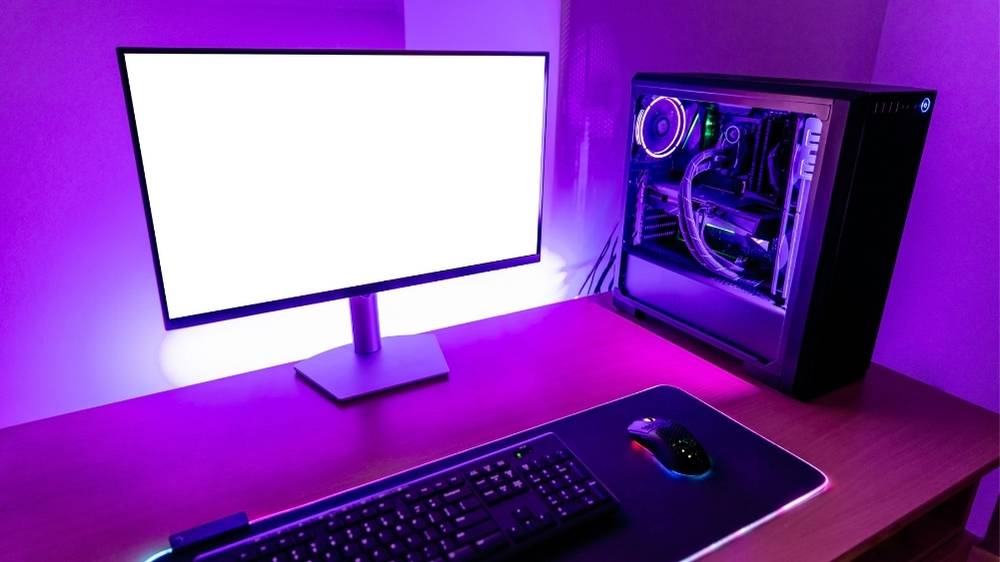
4. Multi-Monitor Productivity Setups
Users are increasingly adopting multi-display configurations.
This improves:
- Workflow efficiency
- Content creation
- Multitasking capabilities
- Data comparison
- Streaming and editing
Modern GPUs and PCs handle multiple displays easily.
5. Hybrid Work and Remote Collaboration
Personal computing now supports flexible work environments.
Key developments:
- Video conferencing optimisation
- Cloud-based collaboration tools
- Remote desktop access
- Cross-device syncing
- Noise reduction technologies
PCs are evolving to support remote productivity.
6. Energy-Efficient Performance
Modern CPUs and GPUs are becoming more power-efficient.
Benefits include:
- Lower energy consumption
- Reduced heat output
- Quieter systems
- Better laptop battery life
- Sustainable computing setups
Efficiency is now a major design focus.
7. Customisable and Modular Builds
Custom PC building continues to grow in popularity.
Users now prioritise:
- Upgradeable components
- Modular case designs
- Personalised aesthetics
- Improved cable management
- Flexible cooling options
Customisation allows tailored computing experiences.
8. Improved Integrated Graphics
Integrated graphics are becoming more capable.
This supports:
- Casual gaming
- Media editing
- High-resolution video playback
- Multiple displays
- Entry-level creative workflows
Some users no longer require dedicated GPUs.
9. High Refresh Rate Displays
Smooth visuals are now expected across modern PCs.
Popular features include:
- 120Hz and higher refresh rates
- Better motion clarity
- Improved gaming experience
- Smoother scrolling
- Enhanced visual comfort
Display technology continues improving.
10. Cloud Integration and Cross-Device Ecosystems
Modern PCs increasingly connect with cloud services and other devices.
This enables:
- File syncing
- Remote access
- Cross-platform workflows
- Backup automation
- Seamless device switching
Cloud-connected PCs improve flexibility.
How These Trends Are Changing Modern PCs
These developments are shaping personal computing in several ways:
- Faster and more responsive systems
- More compact yet powerful designs
- Increased productivity capabilities
- AI-enhanced workflows
- Better energy efficiency
Modern PCs are more versatile than ever.
Tips for Staying Ahead of PC Trends
To future-proof your setup:
- Choose SSD-based storage
- Consider energy-efficient components
- Plan for upgradeable hardware
- Use multi-monitor setups
- Explore AI-powered tools
These choices improve long-term performance.
Common Mistakes to Avoid
When upgrading or buying a PC, avoid:
- Choosing outdated storage
- Ignoring cooling requirements
- Overlooking upgrade paths
- Buying more power than needed
- Forgetting display quality
Balanced systems perform best.
Final Thoughts
Personal computing continues to evolve with AI integration, faster storage, compact designs, and improved performance efficiency. These trends are shaping how modern PCs are used for work, creativity, and entertainment.
By understanding these developments, users can build smarter setups, improve productivity, and stay ready for the future of personal computing.